Hi guys, I play online but I also downloaded the windows version for when I have no internet access (I need my fix lol.) I find the mouse-over description box is really annoying and interferes with my gameplay. Is there an easy way to turn it off? I can not find any options file anywhere. Any help would be greatly appreciated.
1 Thank
I feel the same way! haha. You can’t disable mouse input completely sadly but you can disable tooltips.
Here’s what I use
# disable tooltips blah gross
tile_tooltip_ms = 0
mouse_input = false
tile_web_mouse_control = false
“mouse_input” applies to console, not tiles, I believe.
Thanks, how do I apply this? I looked at the ini.txt file in the settings folder, it looks like it is only comments. I don’t see any command text. Forgive my ignorance, I have no idea where to add this script.
1 Thank
You can simply paste that in the ini file. The tile_tooltip_ms = 0 is probably the only you you need, I just included the others because they were similar but neither apply to local tiles.
I tried that and nothing happens?
disable tooltips blah gross
tile_tooltip_ms = 0
mouse_input = false
tile_web_mouse_control = false
Crawl Init file
For descriptions of all options, as well as some more in-depth information
on setting them, consult the file
options_guide.txt
in your /docs directory. If you can’t find it, the file is also available
online at:# crawl/crawl-ref/docs/options_guide.txt at master · crawl/crawl · GitHub
crawl/crawl-ref/docs/options_guide.txt at master · crawl/crawl · GitHub
Crawl uses the first file of the following list as its option file:
* init.txt in the -rcdir directory (if specified)
* .crawlrc in the -rcdir directory (if specified)
* init.txt (in the Crawl directory)
* ~/.crawl/init.txt (Unix only)
* ~/.crawlrc (Unix only)
* ~/init.txt (Unix only)
* settings/init.txt (in the Crawl directory)
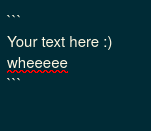
To paste raw text without formatting, put it between 2 sets of ``` like this:
Open the game and at the main menu press ctrl+p
You should see something like this
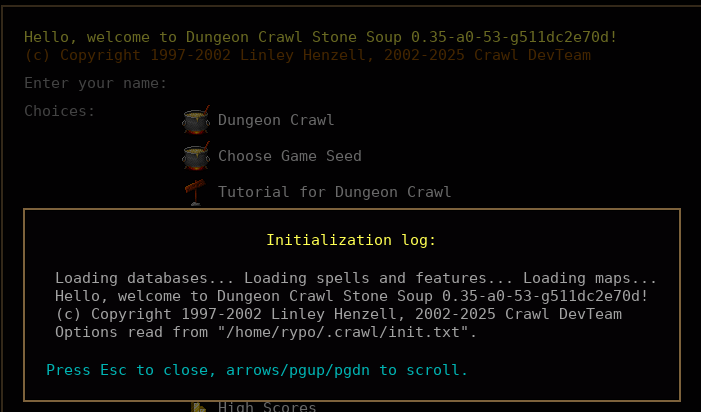
Make sure your init.txt is the one listed there.
Did that and the ini file location is correct. Still did not work.